
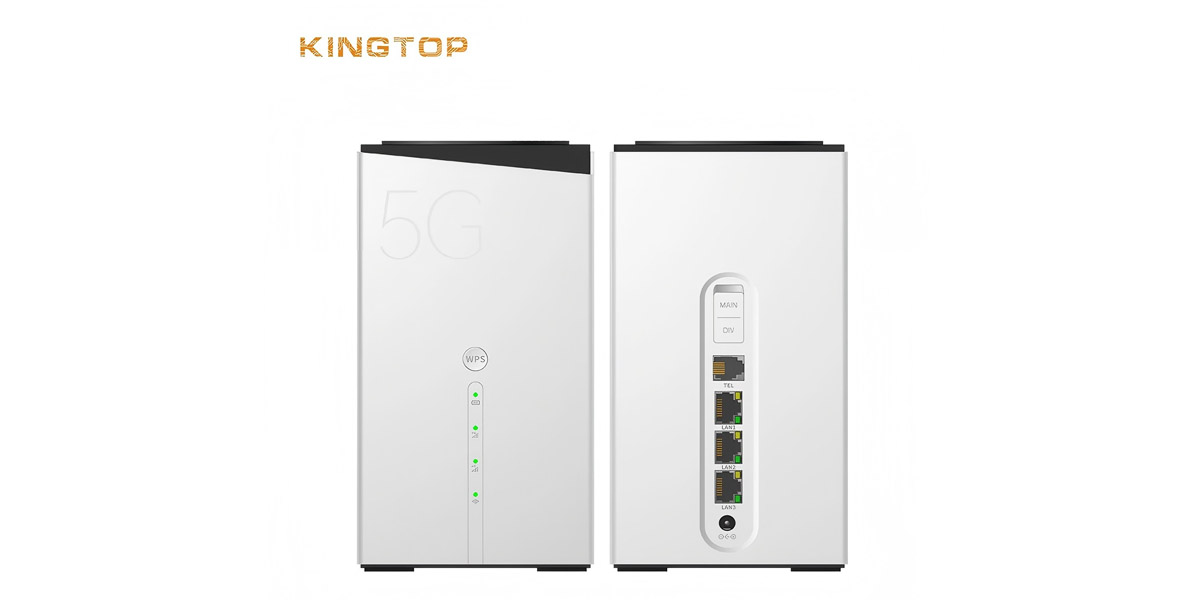
WiFi 5 vs WiFi 6 More Speed & Capacity
As WiFi usage grows and homes fill with smart devices, the limitations of WiFi 5 become increasingly apparent. Enter WiFi 6, which promises more speed, improved efficiency, and better capacity management. But what difference does it actually make in real-world use?
In this guide, we explore WiFi 5 vs WiFi 6, highlight the benefits of upgrading, and showcase how the Kingtop R4A CPE Router (R4A) takes full advantage of WiFi 6 to deliver blazing performance for modern households and small businesses.
1. Understanding WiFi 5 vs WiFi 6: Key Differences
When comparing these two generations:
| Feature | WiFi 5 (802.11ac) | WiFi 6 (802.11ax) |
|---|---|---|
| Max Speed | ~3.0Gbps (theoretical) | ~3.5 Gbps per band |
| OFDMA Support | ✗ | ✓ (better efficiency) |
| MU-MIMO | Downlink for 4–8 devices | Up/Downlink, more devices |
| Target Wake Time | ✗ | ✓ (saves battery) |
| Latency Reduction | Moderate | Improved |
2. Why WiFi 6 is a Game-Changer for CPE Routers
A. Massive Device Support
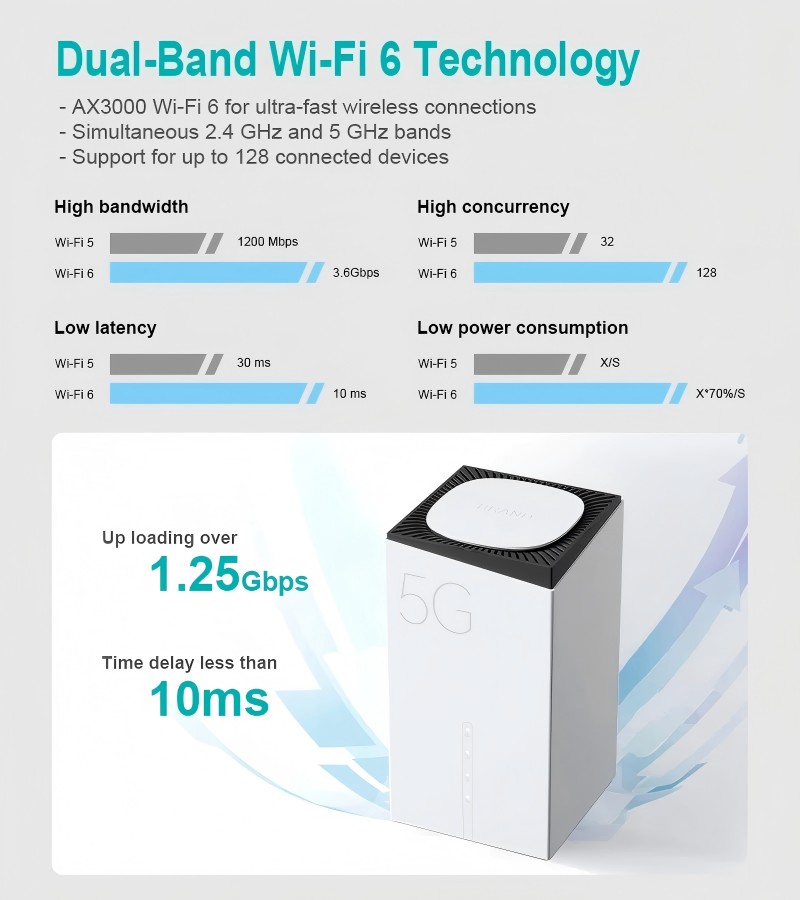
WiFi 6’s support for OFDMA and enhanced MU-MIMO allows routers to manage more connections simultaneously. For homes or small offices with 30+ devices, this means:
Stable bandwidth for each device
Reduced interference between users
Smoother streaming, gaming, and cloud access
B. Future-Proofing
With the global rollout of WiFi 6E and the emergence of WiFi 7, upgrading now ensures your network stays future-ready without frequent changes.
3. Meet the Kingtop R4A: High-Performance WiFi 6 CPE Router
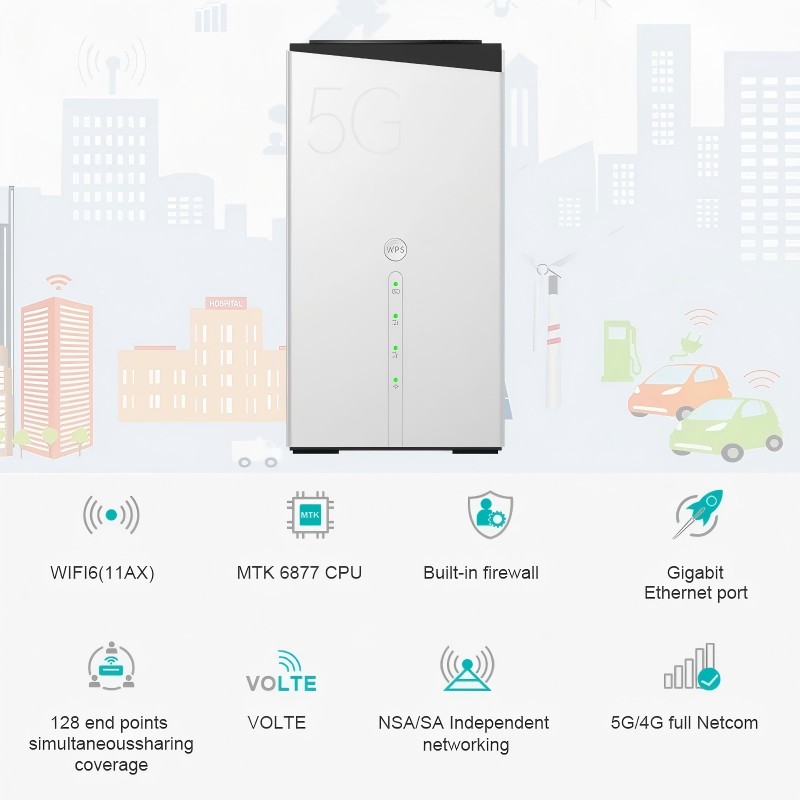
The Kingtop R4A CPE Router combines advanced cellular (5G/Sub-6) connectivity and WiFi 6 performance in a sleek, powerful unit. Here are its key specs:
Octa-core MTK900 CPU on 6 nm process
5G dual-mode (NSA/SA), Sub-6 compatible, 3.5 Gbps peak downlink.
WiFi 6 dual-band:
5 GHz: 2402 Mbps (802.11ax HE80)
2.4 GHz: 574 Mbps
3× (2.4/5 GHz) high-gain antennas & 6× cellular antennas for strong coverage.
Mesh networking support and RJ11 VoLTE port.
These features make the R4A more than just a CPE router—it’s a high-speed, future-ready hub for homes and SME settings.

4. How Kingtop R4A Leverages WiFi 6 Benefits
A. Speed & Stability
The R4A’s 5 GHz WiFi 6 band reaches speeds up to 2402 Mbps, far beyond typical Wi-Fi 5 routers. It’s ideal for:
4K/8K streaming
Cloud gaming
Bandwidth-heavy household scenarios
B. Smarter Device Management
Thanks to MU‑MIMO and OFDMA, R4A can handle dozens of simultaneous devices—laptops, smart TVs, IoT sensors—without slowing network performance.
C. Better Signal Penetration
The combination of WiFi 6 technology and R4A’s 3 high-gain antennas ensures robust signal propagation through walls and across floors. It covers up to 100 m in open areas, reducing dead zones.
D. Mesh and Backup Connectivity
Setting up a mesh network with multiple R4A units means seamless handoff and better coverage. Dual 1 GbE ports (LAN + LAN/WAN) support wired devices. Plus, 5G/4G cellular backup ensures continuous connectivity even if the primary ISP fails.
5. R4A vs WiFi 5 CPE Routers: Real-World Advantages
| Scenario | WiFi 5 CPE Router | Kingtop R4A WiFi 6 CPE Router |
|---|---|---|
| Multi-device streaming | Lag & buffering | Smooth streams on 4+ devices simultaneously |
| Remote work & video calls | Dropouts with many users | Stable connection under device load |
| Dense home network | Congestion & latency | Low latency, smart packet management |
| Outdoor coverage | Limited signal range | Full-strength signal with high-gain antennas |
| ISP failure | No backup option | 5G/4G auto-failover ensures uptime |
These benefits translate to better productivity, entertainment, and peace of mind for your users.
6. Setting Up Kingtop R4A: Quick and Easy
Connecting your R4A is simple:
Insert a nano-SIM (optionally use eSIM)
Plug in power and antennas
Access the web UI or Kingtop app
Configure WiFi networks, set mesh points
Activate VoLTE on RJ11 port (optional)
Instant 5G + WiFi 6 connectivity—no messy cable installations required.
7. Ideal Use Cases
The Kingtop R4A CPE Router is tailored for modern connected life:
Smart homes with voice assistants, cameras, sensors
SMEs needing secure, fast WiFi for teams
Rural or temporary setups without fixed broadband
Mobile offices or field operations requiring cellular backup
Public spaces like cafes, coworking spaces, and guest networks
Conclusion: WiFi 6 is Here—And Kingtop R4A Leads the Way
The debate of WiFi 5 vs WiFi 6 is no longer theoretical—it’s about real improvements in speed, capacity, and reliability. As a WiFi 6 CPE router, the Kingtop R4A delivers on all fronts:
Ultra-fast speeds via 5 GHz AX connection
Robust device handling with OFDMA and MU-MIMO
Extended coverage through high-gain antennas
Flexible connectivity via mesh support and 5G backup
For anyone looking to upgrade their wireless network, investing in a CPE router like the R4A is a smart choice that ensures peak performance today and tomorrow.






Leave a reply