
Retail POS Mobile Solution: Handheld vs Fixed POS for Store Operations
Retail POS Mobile Solution: Handheld vs Fixed POS for Store Operations
A retail POS mobile solution replaces the fixed countertop terminal with a handheld device that staff carry through the store, so scanning, payment, and line-busting happen on one screen instead of two. The honest summary: for stores under roughly 1,500 m², a handheld-first POS usually pays back faster, but a fixed counter terminal is still cheaper per lane and survives heavier daily use. The rest of this guide breaks down where the real cost difference sits, which specifications matter, and where mobile payment compliance changes the requirements.
What is a retail POS mobile solution?
A retail POS mobile solution is any point-of-sale setup where the register runs on a portable Android terminal rather than a mains-powered desktop box. Staff take the device to the shelf, the back room, or the loading bay, scan goods as they go, and take payment wherever the customer is standing. The counter may still hold a docked terminal, a receipt printer, and a cash drawer, but the register logic lives on the handheld.
The distinction that matters for procurement is not “tablet versus desktop”. It is whether the device must survive being carried, dropped, and squeezed through aisles. A retail POS mobile solution is judged on shift-length battery life, glove-capable touch, drop survival, and whether it can take a payment without an extra card reader hanging off it.
Kingtop is a China-based manufacturer of handheld POS terminals, rugged PDA terminals, and mobile hotspots, supplying wholesalers, distributors, and brand programs in North America, Europe, and Southeast Asia.
What does a handheld POS actually replace?
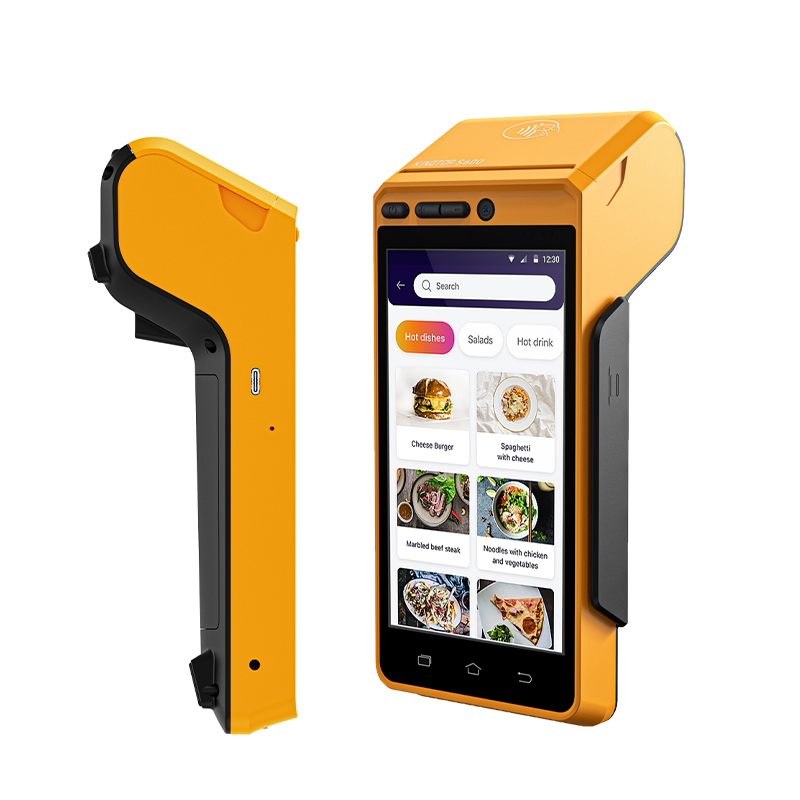
A handheld POS replaces three line items at once: the counter terminal, the second handheld scanner used for line-busting, and part of the customer-facing queue. It does not replace the cash drawer, the receipt printer, or the Ethernet drop behind the counter — those stay.
| Cost or capability line | Fixed countertop POS | Handheld-only POS | Mixed counter + handheld |
|---|---|---|---|
| Hardware per lane | 1 terminal, low cost | 1-2 handhelds per store | 1 docked terminal + 2-4 handhelds |
| Counter space required | Full counter depth | Almost none | Partial |
| Cabling / power install | Required per lane | Charging cradles only | Required, plus cradles |
| Battery consumables | None | Replacement every 12-24 months | Replacement, smaller fleet |
| Line-busting / stock lookup | Needs a second device | Same device the cashier already holds | Same device |
| Theft exposure | Low (tethered) | Higher (device carried off floor) | Moderate |
| Realistic store size fit | Small counters, kiosks | Under ~1,500 m² sales floor | Larger stores with long queues |
The row buyers most often underestimate is theft exposure. A tethered terminal is physically anchored; a handheld is not. If your loss prevention model assumes devices never leave the sales floor, the handheld line item is cheaper but the shrink risk is higher.
Do you need 5G in a store POS? Honestly, usually not
No. Most retail POS traffic is small — a price lookup, a stock count, an authorisation of a few hundred bytes — and Wi-Fi 6 handles that comfortably. Paying for 5G modules across a fleet because the spec sheet lists them is the most common over-specification we see in store projects.
The realistic exceptions are outdoor or semi-outdoor sales floors where Wi-Fi coverage is genuinely thin, and stores running video or augmented-reality product presentation on the same device. Note that even the flagship class splits on this: the Zebra TC53 mobile computer ships as a Wi-Fi 6E / Bluetooth unit, while 5G appears on the cellular variant — while the Honeywell CT47 lists 5G FR1 bands alongside Wi-Fi 6E. Same class of device, different connectivity decision.
Which handheld POS specifications actually matter in a store?
Six specifications decide whether a handheld survives a retail year. Screen brightness, battery capacity, sealing, charging cradle availability, scanner symbologies, and payment certification are worth more than CPU generation.
| Specification | Why it matters in a store | What to push back on |
|---|---|---|
| Display brightness | Store lighting and window glare wash out dim panels; readability at the shelf decides scan speed | Panels quoted only in FHD resolution without a nits figure |
| Battery per shift | A 10-hour trading day needs honest endurance, not a 2-hour standby claim | “Battery life” quoted with no test condition |
| Sealing rating | Liquid spills and cleaning chemicals are constant in retail | IP rating stated without the dust and water test basis |
| Charging / hot-swap | With multiple handhelds, spare batteries and shared cradles matter more than fast charging | Single-device-only charging design forcing overnight downtime |
| Scanner symbology | Retail mixes EAN/UPC, QR, and GS1 DataMatrix; partial support causes rework | Short-range engines only, when backroom pallets need long range |
| Payment certification | Determines whether the acquirer will board the device at all | Devices marketed as “POS-ready” with no listed approval |
For reference on the certification point: the PCI Security Standards Council’s PTS POI standard defines device classes including PIN entry devices, unattended payment terminals, and non-PED account-data devices, and maintains the list of approved devices that acquirers rely on. A device that is absent from that list will usually not be boarded for PIN acceptance, regardless of how well it performs as a scanner.
How does payment security change when the POS is handheld?
Handheld payment moves card capture out of a bolted-down terminal and onto a device that already handles inventory data, which means the security boundary is wider. Two frameworks apply. The PCI PIN Transaction Security POI Modular Security Requirements v6.0 restructured the standard into Physical/Logical, Integration, Communications and Interfaces, and Life Cycle modules, limited firmware approval windows to three years, and requires elliptic-curve cryptography support for devices accepting EMV-enabled cards. On the kernel side, EMVCo publishes a contactless kernel specification alongside a formal approval-testing process, so contactless acceptance on mobile hardware follows a defined certification path rather than vendor self-declaration.
The procurement consequence is straightforward: ask for the approval identifier, not the phrase “PCI compliant”. Compliant components are not the same thing as an approved device, and the distinction decides whether your acquirer will sign the deployment off.
When is a fixed POS still the right answer?
Fixed counters win in three situations. Very high transaction counts per lane push throughput limits that a shared handheld pool struggles to match. Environments with heavy liquid and dust exposure, such as open-air markets and wet goods halls, wear docked units faster. And where a cashier never leaves the counter, a purpose-built terminal with a larger screen and a fixed card reader is simply more ergonomic than lifting a phone-sized device for eight hours.
For those cases, Kingtop’s KT-V510, KT-V520, and KT-S600 cover the counter-terminal and all-in-one POS segments; the KP18 and KP26 handheld families cover the mobile scanning side of the same store. Mixing both is a legitimate architecture, not a compromise.
How do you work out the break-even point?
Calculate per-lane hardware cost, then add the labour effect. A handheld that lets a single associate serve two lanes removes queue time without a second terminal, which is often worth more than the device. Add the costs buyers forget: charging cradle and spare battery stock, a device management licence if your POS vendor charges per device per month, and the replacement cycle for a fleet that gets handled eight hours a day.
Then subtract what you avoid: fewer second scanners purchased, less counter renovation, shorter queues. If the counter renovation is significant, the handhelds can pay back before the device fleet does. Test the arithmetic against your own numbers, because the crossover moves with transaction volume and store layout.
What do buyers ask about retail POS mobile solutions?
Do I need a separate card reader with a handheld POS terminal?
It depends on whether the handheld itself carries an approved secure reader. Devices certified for contactless-only acceptance can use the built-in antenna; anything capturing a PIN on glass generally needs the relevant approval class on the terminal itself, and your acquirer will tell you which route they will board.
How many handhelds does one store actually need?
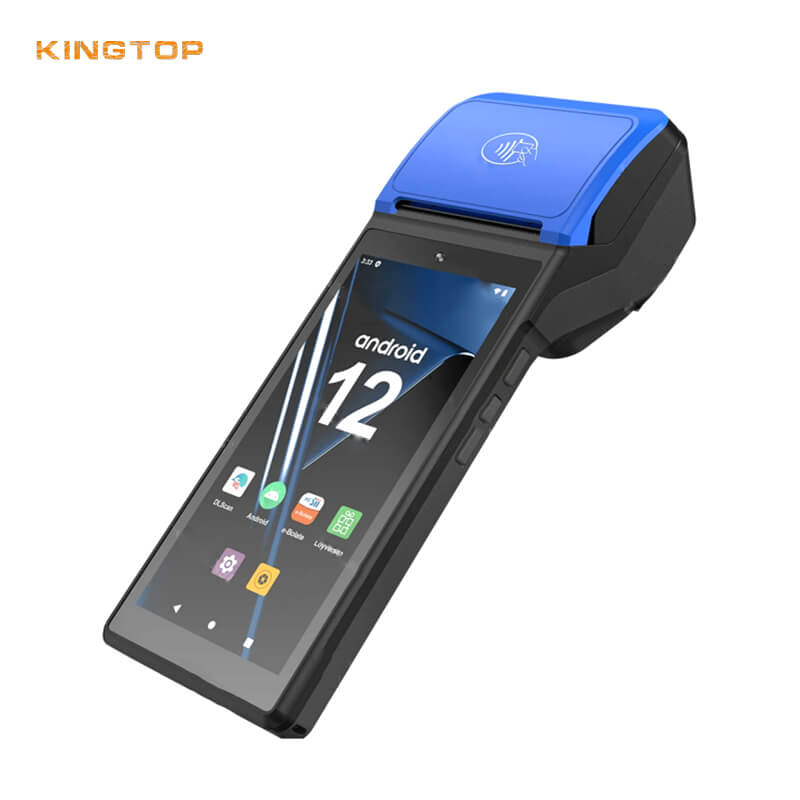
A common starting point is one per two active lanes plus one spare, which keeps a charging rotation going without a second battery pool. High-volume apparel and grocery usually go higher; single-counter convenience stores often need only one.
Can one handheld handle both scanning and payment?
Yes, and that consolidation is the main cost argument for mobile POS. It removes the second device most stores carry, but it also concentrates risk: a failure that once stopped scanning now stops payment too, so keep a charged spare on the counter.
How often do these devices need replacing?
Consumable-grade handhelds in high-throughput retail are commonly replaced on a two to four year cycle, driven by battery health and charging contact wear rather than by the processor. Buying to that horizon is cheaper than buying on a warranty expiry date.
Does retail POS mobile software run on any Android handheld?
Mostly, but check three things first: whether the payment SDK is certified for the exact device model, whether the vendor’s device management agent supports your Android version, and whether screen drivers handle your display size and brightness range. Certification is device-specific, which is the part that gets missed.
If you want a concrete quote against your own store layout and transaction volume, Kingtop’s product range covers handheld POS terminals, rugged PDA terminals, and mobile hotspots, and the team can map devices to your deployment rather than the other way round.
About the author
Written by the Kingtop Product Team, a China-based manufacturer of handheld POS terminals, 5G PDA handheld terminals, mobile hotspots, body-worn cameras, and rugged tablets, supplying wholesale, OEM, and ODM programs in North America, Europe, and Southeast Asia.
Last updated: 2026-10-09
Editorial policy: All competitor specifications on this page are taken from the manufacturers’ published spec sheets or datasheets and are cited to the source. Industry standards references link to the standards body’s own publication. Kingtop’s own products are described by category and function; specific model parameters are published on the product pages and confirmed with buyers during quotation. Corrections are accepted via the contact page and applied within 10 business days.

About author





Add comment